Home Office Design Ideas for Maximum Productivity

Whether you work from home full-time or just need a space for bills and emails, a well-designed home office can transform your productivity and comfort. Here are design ideas to create a workspace that is both functional and inspiring, with detailed guidance on ergonomics, lighting, organization, and aesthetics so you can build an office that supports your best work every day.
Key Takeaways
- Invest in an ergonomic chair and adjustable desk for long hours of comfortable work
- Position your monitor at eye level and an arm's length away to prevent neck strain
- Maximize natural light and add task lighting to reduce eye fatigue
- Keep your workspace organized with hidden storage and a clutter-free desk
1. Choose the Right Location

Pick a spot with natural light and minimal foot traffic if possible. A room with a door is ideal for privacy and focus — sound isolation alone can improve deep work output by up to 30%. If space is limited, consider a corner of the living room, a closet office (the "cloffice" trend is popular for a reason), or a landing at the top of the stairs. A dedicated space, even if small, trains your brain to shift into work mode when you enter it.
Evaluate each potential location against your work needs. Do you take video calls all day? You need a plain background (a wall, a curtain, or a bookshelf) and control over lighting. Do you need to spread out blueprints or fabric samples? You need a surface larger than a standard desk. Do you need silence? Measure noise levels at different times of day using a phone app — a room near a busy street or the kitchen may be louder than you realize. For the "cloffice" solution, remove the closet door or install a pocket door, add a wall-mounted desk that folds up when not in use, and use the upper shelves for supplies. Even a 3-by-5-foot closet can become a functional workspace with recessed lighting, a narrow desk, and wall-mounted organizers. The key is to separate work visually and mentally from the rest of your home, so that when you leave the space — even if it is just closing a curtain — you can fully disconnect from work.
2. Invest in an Ergonomic Setup

Your chair is the most important piece of furniture. Choose one with lumbar support, adjustable height, adjustable armrests, and a seat pan that is deep enough to support your thighs without pressing into the back of your knees. The Steelcase Gesture and the Herman Miller Aeron are the gold standards, but budget-friendly options like the Staples Hyken or IKEA Markus offer good ergonomics for under $300. Your desk should allow your elbows to rest at a 90-degree angle with your feet flat on the floor. A monitor stand or a stack of books can bring your screen to eye level to prevent neck strain.
Set your workstation up in a specific order. Step one: adjust the chair height so your thighs are parallel to the floor. Step two: place your keyboard and mouse so your elbows are at a 90-degree angle and your wrists are straight — a wrist rest pad helps maintain neutral wrist posture. Step three: position the top of your monitor at or just below eye level, about an arm's length away. If you wear bifocals, lower the monitor slightly so you can read the screen through the lower portion of your lenses. Step four: place your document holder between your keyboard and monitor to prevent twisting your neck to read paper documents. A standing desk converter like the FlexiSpot M2B or Varidesk lets you alternate between sitting and standing, which reduces the health risks of prolonged sitting — researchers recommend standing for 15 minutes every hour. Invest in an anti-fatigue mat if you stand for extended periods. The cost of a poor ergonomic setup shows up in chiropractor bills, lost productivity, and chronic pain; spending $200 to $500 on proper equipment is cheap compared to the long-term cost of neglecting your posture.
3. Maximize Natural Light

Position your desk perpendicular to windows to reduce screen glare while benefiting from natural light. East-facing windows give you bright morning light that boosts alertness during peak work hours. West-facing windows provide warm afternoon light but may cause glare on screens — adjustable blinds are essential. Sheer curtains in linen or cotton diffuse harsh sunlight while maintaining the connection to the outdoors. Good lighting reduces eye strain and improves mood and focus throughout the day.
Research from the Well Living Lab shows that workers with windows receive 173% more natural light exposure during work hours and report significantly better sleep quality, vitality, and mental health outcomes. If your workspace lacks windows, compensate with full-spectrum LED bulbs that mimic the color temperature of natural daylight — look for bulbs labeled 5000K to 6500K with a CRI of 95 or higher. Place mirrors strategically to reflect whatever light is available: a large mirror opposite a window can make a dark room feel brighter and more spacious. For south-facing rooms (northern hemisphere), light is consistent throughout the day but can be intense; use shades that pull from the bottom up so you can block the lower glare while keeping the upper view. North-facing rooms provide steady, soft light without direct glare — ideal for screen work. Manage glare with an anti-reflective screen filter if repositioning your desk does not solve the problem. The simple act of looking up and out a window at a distant point every 20 minutes (the 20-20-20 rule: every 20 minutes, look at something 20 feet away for 20 seconds) reduces digital eye strain significantly.
4. Add Task Lighting
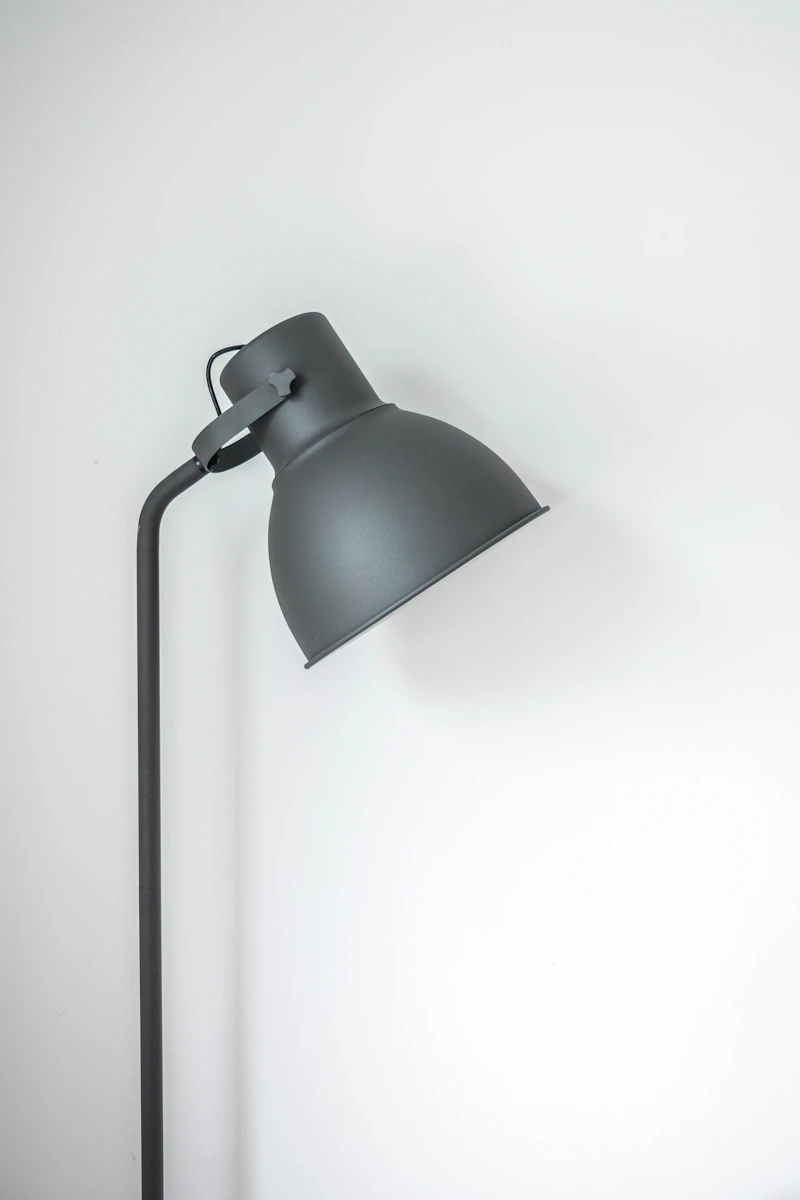
A quality desk lamp with adjustable brightness and a flexible arm is essential. Choose one with a warm to neutral light temperature range — 3000K to 4000K — for comfortable working that matches natural daylight patterns. The BenQ ScreenBar Halo sits on top of your monitor and illuminates your desk without reflecting off the screen, making it a favorite among designers and programmers. Avoid cool blue light over 5000K in the evening as it suppresses melatonin production and can interfere with sleep.
Layer your office lighting with three sources: general ambient light from a ceiling fixture or floor lamp, task light from your desk lamp, and accent light to highlight a bookshelf or art piece. Use the desk lamp specifically for reading paper documents or detailed work — not as your only light source, which creates harsh contrast and eye fatigue. Clamp-arm lamps from brands like IKEA (the Tertial at $15) and Contech (the LED Architect lamp at $80) offer excellent adjustability. For video calls, position a small ring light or a desk lamp slightly above eye level and in front of you, with the light diffused through a white shade or softbox. This eliminates unflattering overhead shadows and makes you look professional on camera. Bias lighting behind your monitor — a USB-powered LED strip affixed to the back of the screen — reduces perceived screen glare by balancing the contrast between the bright display and the dark wall behind it. The combination of bias lighting and a warm task lamp creates a visually comfortable workspace that keeps you productive through long work sessions without the fatigue that comes from poor lighting design.
5. Organize with Style

Keep your desk clutter-free with stylish storage solutions. Use pen holders, tray organizers, and small drawers for daily essentials. Wall-mounted shelves keep reference books and supplies within reach without taking up desk space. A pegboard is a versatile, customizable option — the IKEA Skadis system costs under $50 complete with hooks, containers, and shelves that hold everything from scissors to small potted plants.
The "everything in its place" philosophy applies to every item in your office. Categorize your supplies into three groups: daily use (within arm's reach on the desk surface), weekly use (in a drawer or shelf within 3 feet), and occasional use (in a file cabinet or closet). A desk with built-in cable management channels or a wire mesh tray underneath keeps cords from becoming a tangled mess. Label everything — a label maker costs $20 and pays for itself in saved search time. Go vertical: floating shelves above the desk hold books and decorative objects without eating into your work surface. A rolling cart (the IKEA Raskog is a classic) provides mobile storage that tucks under the desk when not in use. For paper management, implement a four-tier filing system: Action (to-do), Read (to review), File (archived), and Recycle. Process incoming paper immediately and never let it accumulate. Digital organization matters too — use a cloud storage system with consistent folder naming, and invest in a backup drive that automatically duplicates your work. A clutter-free workspace reduces cognitive load, lowers stress levels, and helps you find what you need instantly. When everything has a home, your brain does not waste energy tracking down misplaced items.
"A well-designed home office is an investment in your productivity, health, and sanity."
— Home Office Principle
6. Incorporate Greenery

Plants in the workspace boost creativity, reduce stress, and improve air quality. Low-light plants like snake plants, ZZ plants, and pothos thrive in office conditions and require watering only once every two to three weeks. A small succulent on the desk adds a touch of nature without requiring much care — hen and chicks are practically indestructible. The presence of plants alone can increase productivity by 15% and improve concentration and satisfaction scores in controlled studies.
Choose plants based on your specific light conditions. North-facing window or no window: snake plant, ZZ plant, pothos, philodendron, peace lily. East-facing window: spider plant, Chinese evergreen, parlor palm. South or west-facing window: succulent, aloe vera, jade plant, rubber tree. Group plants together on a shelf or tray rather than scattering them — clusters create a microclimate with higher humidity that benefits all the plants. Self-watering planters with water reservoirs reduce maintenance to once a month for most species. Terrariums are a compact option for small desks: a sealed glass container with pebbles, activated charcoal, potting soil, and small ferns creates a self-sustaining ecosystem that needs watering only once every few months. For the lowest-maintenance option, preserved moss walls mounted behind the monitor add a lush green texture without any watering or sunlight requirements. Plants soften the hard edges of technology in your workspace, reminding you that the natural world is still there beyond your screen. A green workspace is not decor — it is a scientifically validated productivity tool.
7. Personalize Your Space

Make your office feel inviting with personal touches. A framed photo, a favorite art print, or a vision board can motivate you throughout the day. Choose a color palette that energizes you — soft blues and greens for calm focus, warm yellows and terracottas for creativity, charcoal and white for clean minimalism. A small area rug under your desk adds warmth, absorbs sound, and defines the workspace zone visually.
Personalization goes beyond decoration to create a psychological anchor for productivity. Fill your space with objects that remind you of why you do what you do: a certificate from a significant achievement, a photo from a meaningful trip, a small sculpture from a local artisan. The scent of the room matters too — rosemary and peppermint essential oils in a diffuser are associated with improved memory and alertness, while lavender promotes calm focus. Choose a playlist or background sound that signals "work mode" to your brain — instrumental music, white noise, or coffee shop ambiance apps like Coffitivity can all be effective. A dedicated coffee or tea station with a small kettle, your favorite mug, and a tin of quality loose-leaf tea keeps breaks convenient and enjoyable without pulling you out of the house. The goal is to create a space that you actively want to spend time in, because when your environment feels good, your work feels less like a grind and more like a purposeful activity. The most productive offices are not the most sterile or corporate — they are the most personally meaningful to the person who works there.
8. Define Zones

If your office serves multiple purposes, create distinct zones. A desk area for focused computer work, a small seating area for reading or phone calls, and a storage zone for supplies. Rugs and lighting can help define each zone visually — a bright task light over the desk, a floor lamp with a warm bulb over the reading chair, and clear shelving in the storage area. Even in a small room, visual separation of zones improves mental switching between different types of work.
For a 10-by-10-foot office, allocate roughly 60% of the floor space to the primary work zone, 25% to a secondary zone (reading, standing, or brainstorming), and 15% to storage. Use a small loveseat or a single armchair with an ottoman for the relaxation zone — this becomes your phone call spot where you can sit back and talk without the posture of being at a desk. A whiteboard or corkboard on the wall above the secondary zone creates a brainstorming area separate from your main computer area. A small side table or console table serves as a landing spot for your bag, keys, and phone when you walk in, preventing desk clutter. For open-plan homes where the office is part of another room, use a room divider like a bookshelf or a folding screen to create visual separation. Architects and interior designers consistently report that people who define work zones — even with simple visual cues like a rug and a lamp — report higher satisfaction and productivity than those who do not separate their workspace. When your brain sees a distinct "work zone," it enters a focused state more quickly and sustains it longer.
9. Sound Management and Acoustic Comfort

Noise is the number one distraction in home offices. Manage sound with soft materials that absorb echoes — a wool or jute area rug, upholstered furniture, velvet curtains, and acoustic panels. Acoustic panels from brands like Audimute or Art3d come in decorative colors and patterns and can be mounted behind your monitor or on the wall behind you to dampen echo on video calls. A white noise machine or a smart speaker playing brown noise masks intermittent sounds like traffic or household conversation.
Conduct a sound audit of your space. Sit at your desk during your typical work hours and identify every noise source: the refrigerator compressor, the furnace kicking on, a dripping faucet, footsteps overhead, a neighbor's dog. Address each one: seal gaps under doors with draft stoppers, tighten loose cabinet hardware, add weatherstripping to windows, and relocate loud appliances if possible. For video calls specifically, place a rug or carpet under your desk if the floor is hard — it eliminates the hollow room echo that makes calls sound unprofessional. A microphone with directional pickup (like the Blue Yeti or Rode NT-USB Mini) focuses on your voice and rejects background noise, improving audio quality dramatically without treating the whole room. If you share your home with others, establish "quiet hours" or use a simple visual signal — a red light outside the door — to indicate you are in a meeting. Good acoustics are invisible when they are working, but when they are ignored, they undermine every aspect of your workspace experience.
"The cost of poor ergonomics shows up in chiropractor bills and lost productivity — spend on proper equipment now to save later."
— Ergonomics Reminder
Final Thoughts

A great home office balances comfort, function, and style. Invest in ergonomics first — your body will thank you after years of daily use. Then layer in task lighting, thoughtful organization, plants, and personal touches that make the space uniquely yours. When your workspace works for you, productivity follows naturally. The best home office is not the one with the most expensive equipment — it is the one that makes you want to sit down and do your best work every single day. Start with the changes that will have the biggest impact on your daily comfort and build from there, one improvement at a time.